
ADMIN TOUR
This is what the Barossam admin looks like
A service where postings pile up automatically lives or dies by an admin that shows what was collected and what is live right now. These are the screens we built and use every day, grouped by feature.
Names, emails, phone numbers and conversation text in these screens were replaced with samples, and member counts and some figures are blurred, to protect privacy. Layout and features are exactly as they are.
01
Today's tasks and key metrics
Payments, certificates, document reviews, enquiries, feedback and reports gathered in one panel, with anything waiting standing out first.
- Pending counts in one row
- Teacher and school sign-up trend
- Profile completion
- Visits and admin alerts
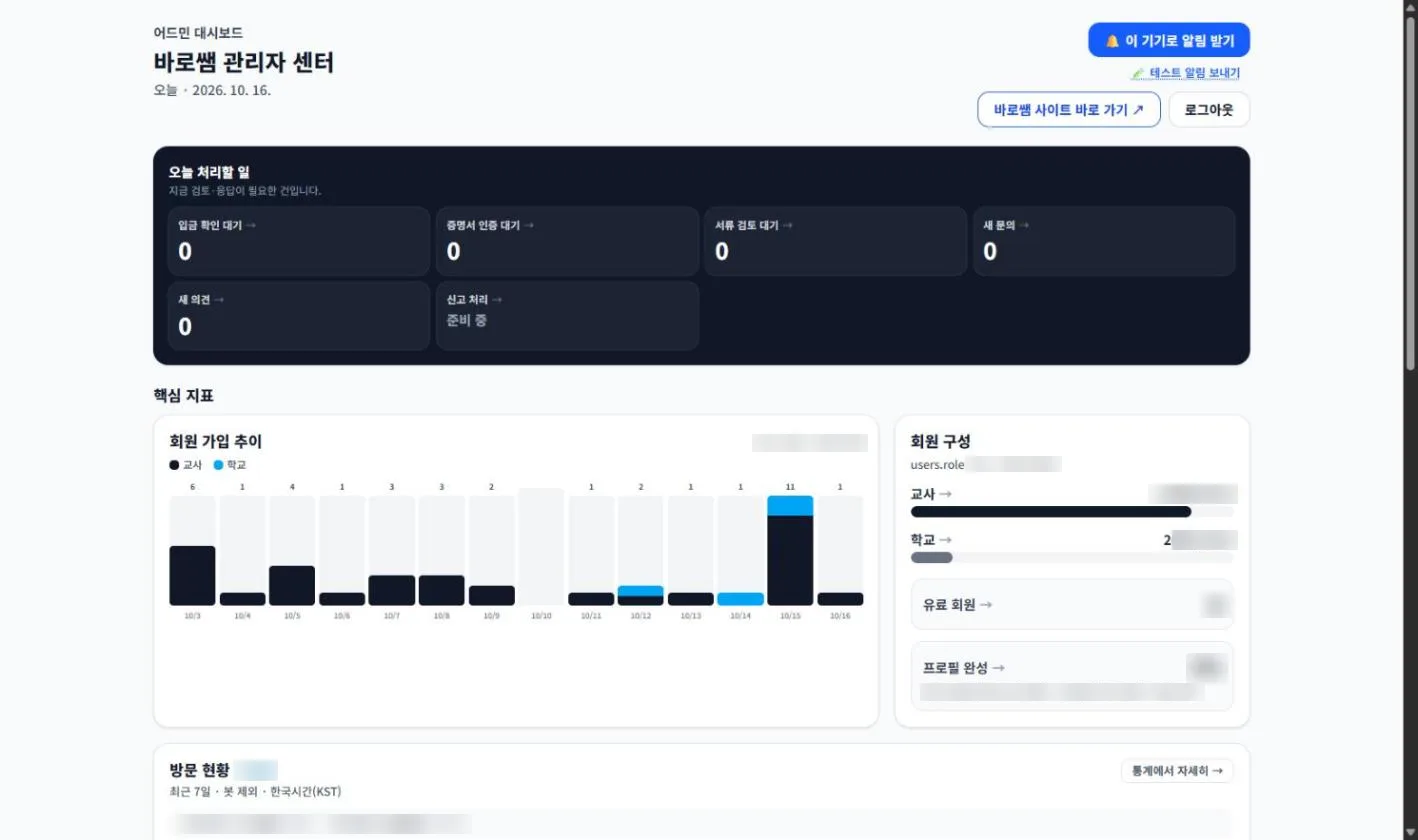
Dashboard
Today's tasks, sign-ups and visits.
02
Job posting management
Postings from education offices and schools nationwide are collected automatically every day. The admin lets you browse them and tell which ones are actually live.
- Total, open (live) and closed counts at a glance
- Search by title or school, filter by region and status
- Postings past their deadline are removed from display
- Jump straight to the original notice
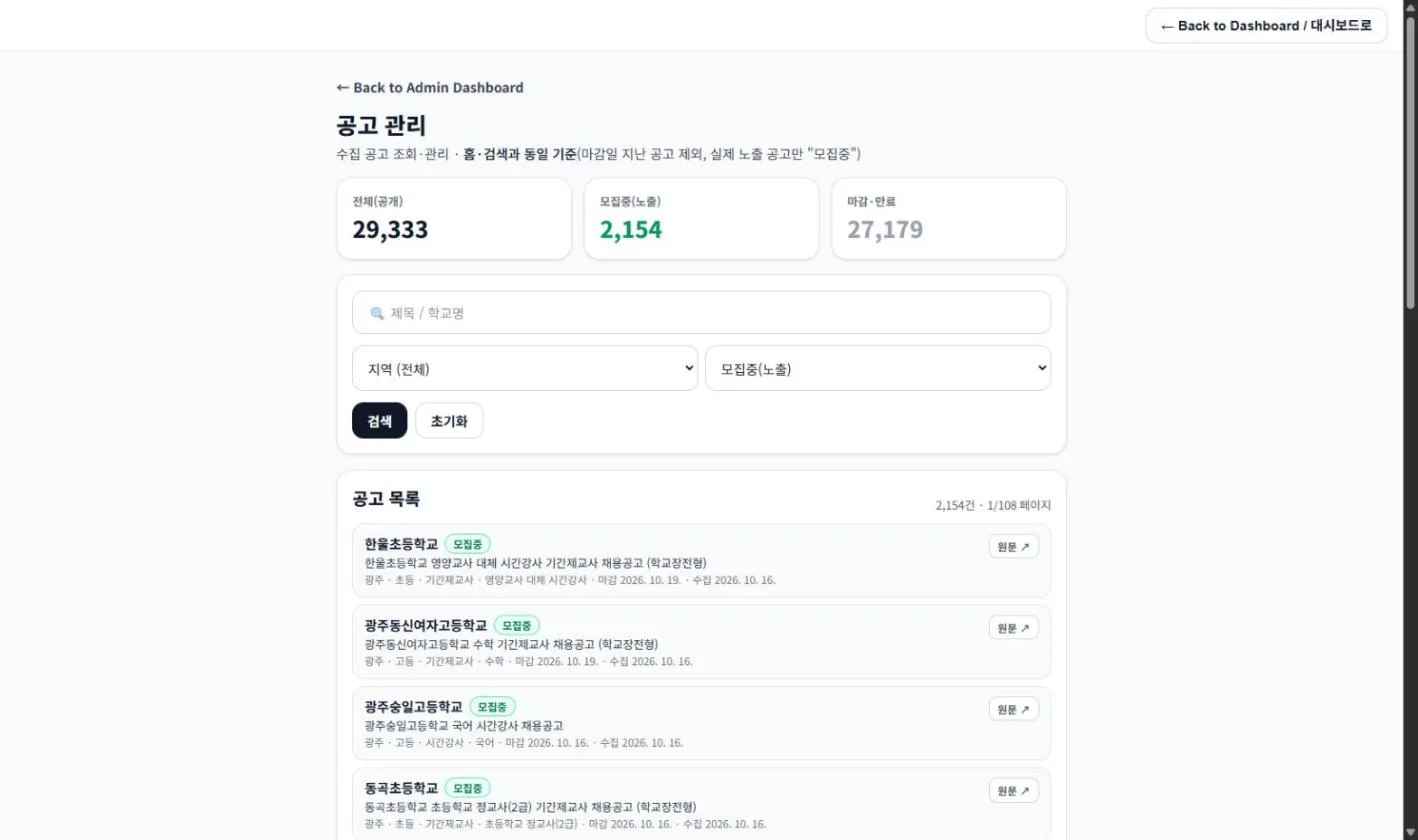
Posting list
Browse collected postings and check the original.
03
Member management
Teacher members and school members are managed separately.
- Filter by role and membership
- Search by name, email or phone
- Teacher-only and school-only lists
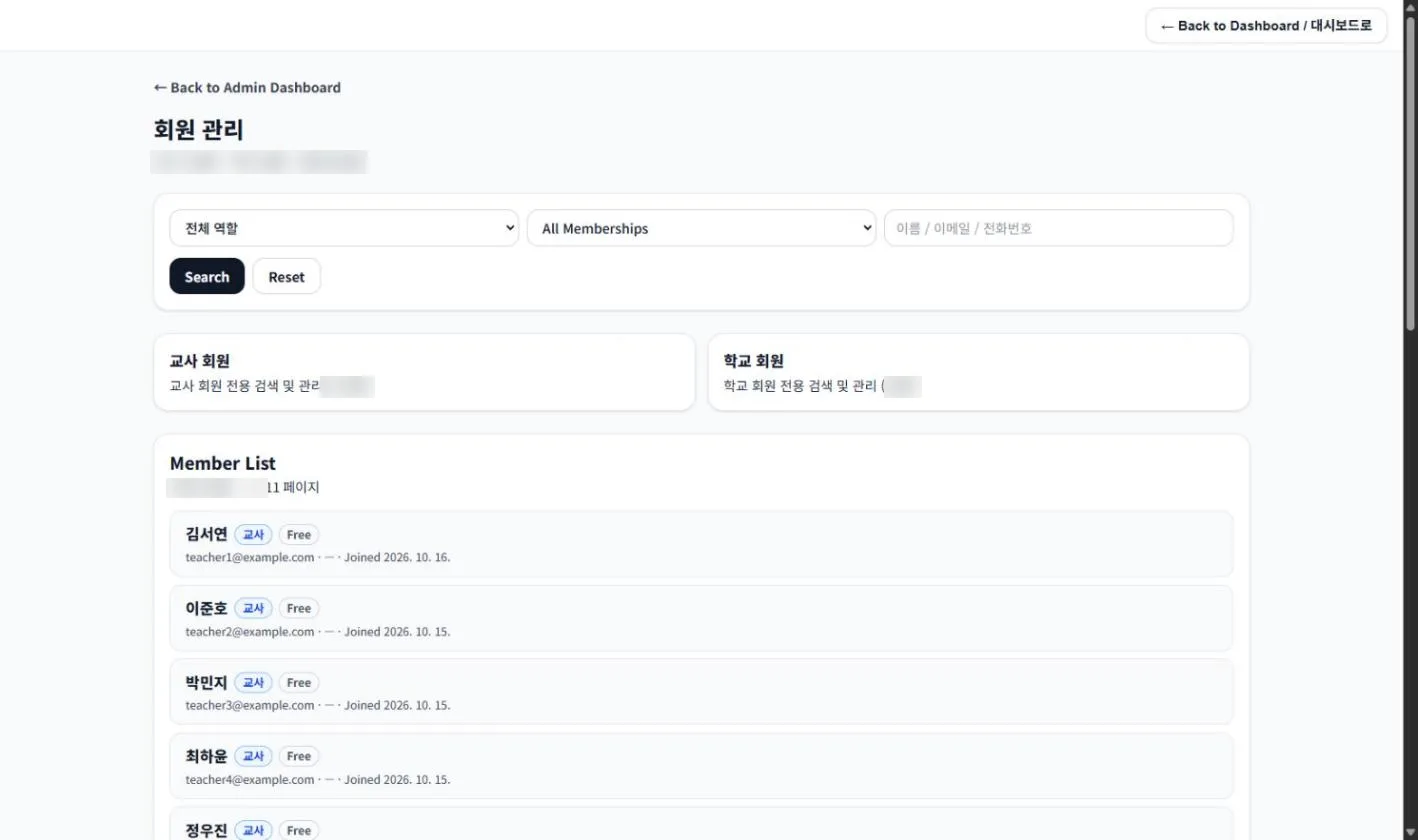
Member list
Teachers and schools, together or apart.
04
Member messaging
Teachers and schools talk inside the app. Contact details stay private and the messenger is the default way to communicate.
- Contact details stay private; talk by messenger
- Conversations live in the Messages tab
- New messages arrive as push notifications
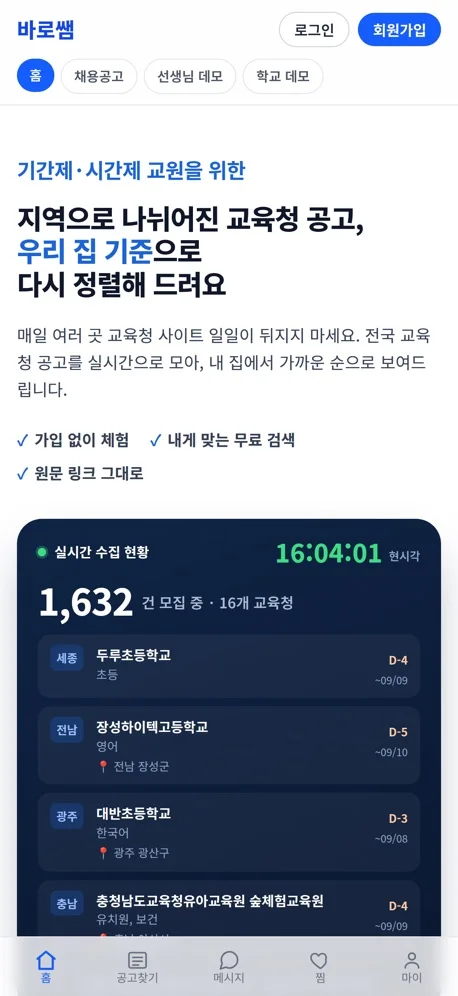
The Messages tab
App screens: Home, Jobs, Messages, Saved, My.
05
Statistics
Activity, members and visits on one screen, with a selectable period.
- Returning logins and active ratio
- Teacher / school ratio and sign-up trend
- Visits by day and by hour
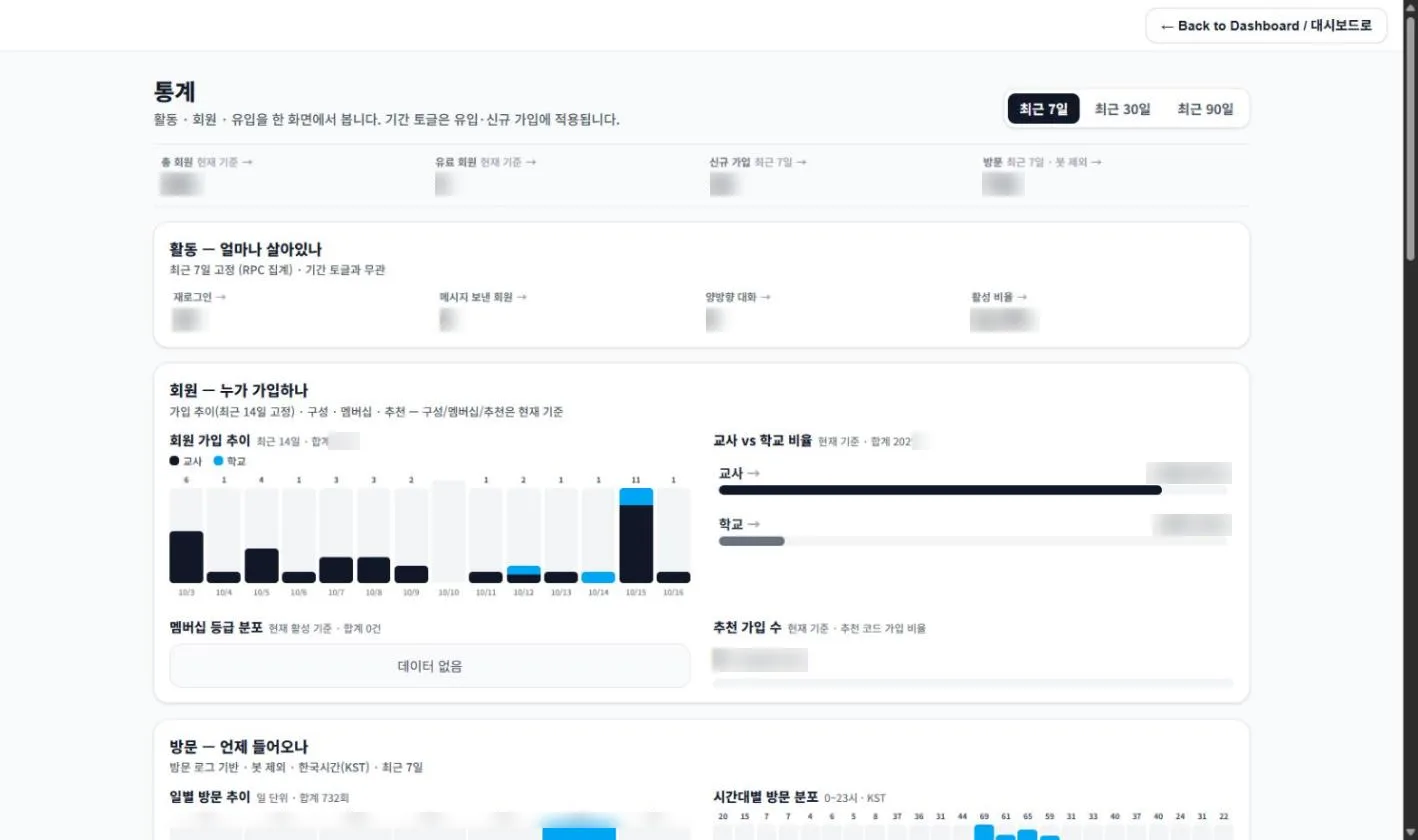
Statistics
Figures are blurred to protect privacy.
Other admin features
Payments
Confirm bank transfers, upgrade memberships and view the payment history.
Certificate verification
Check the registration certificates schools submit, and approve or reject them.
Want a service with an admin like this?
A team that has run members, payments, messaging and analytics itself designs it from the start. Consultation and quotes are free.
Free consultation