
ADMIN TOUR
This is what the Nannyjob admin looks like
In a two-sided marketplace, half the job is an admin that shows who is doing what and lets you act on it at once. These are the screens we built and use every day, grouped by feature.
Names, emails, phone numbers and conversation text in these screens were replaced with samples, and member counts and some figures are blurred, to protect privacy. Layout and features are exactly as they are.
01
Today's tasks and key metrics
The first thing you see is what needs handling now, lined up with the things you must not miss first.
- Payments, certificates, enquiries and reports in one row
- Sign-up trend by day, split by nanny and family
- Visits, busiest hours and days
- Admin alerts to phone or desktop app
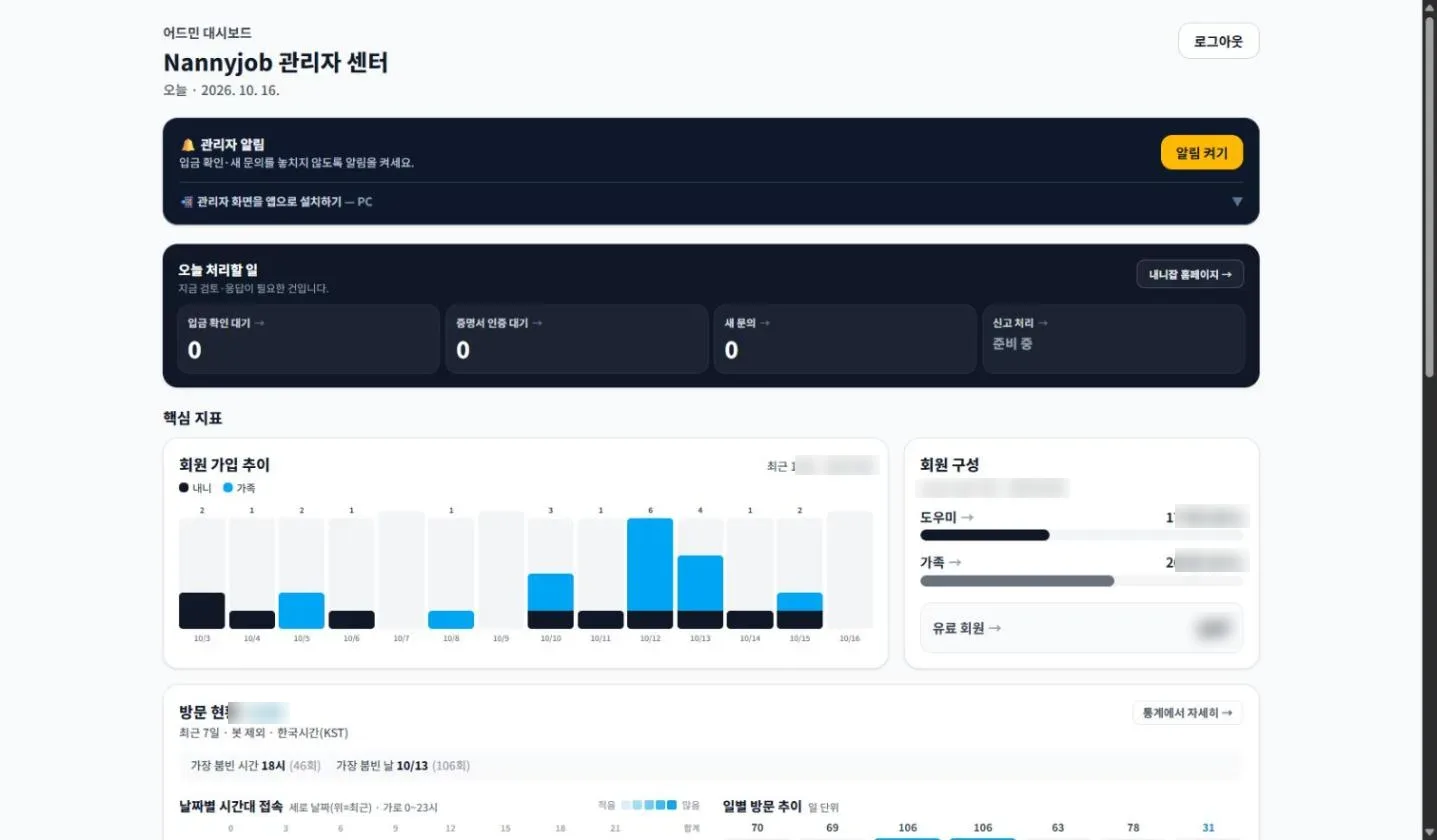
Dashboard
Today's tasks, sign-up trend and visits on one screen.
02
Member management
Search and review nannies and families, together or separately.
- Filter by role and membership tier
- Search by name, email or phone
- Join date and profile completion at a glance
- Jump to nanny-only or family-only lists
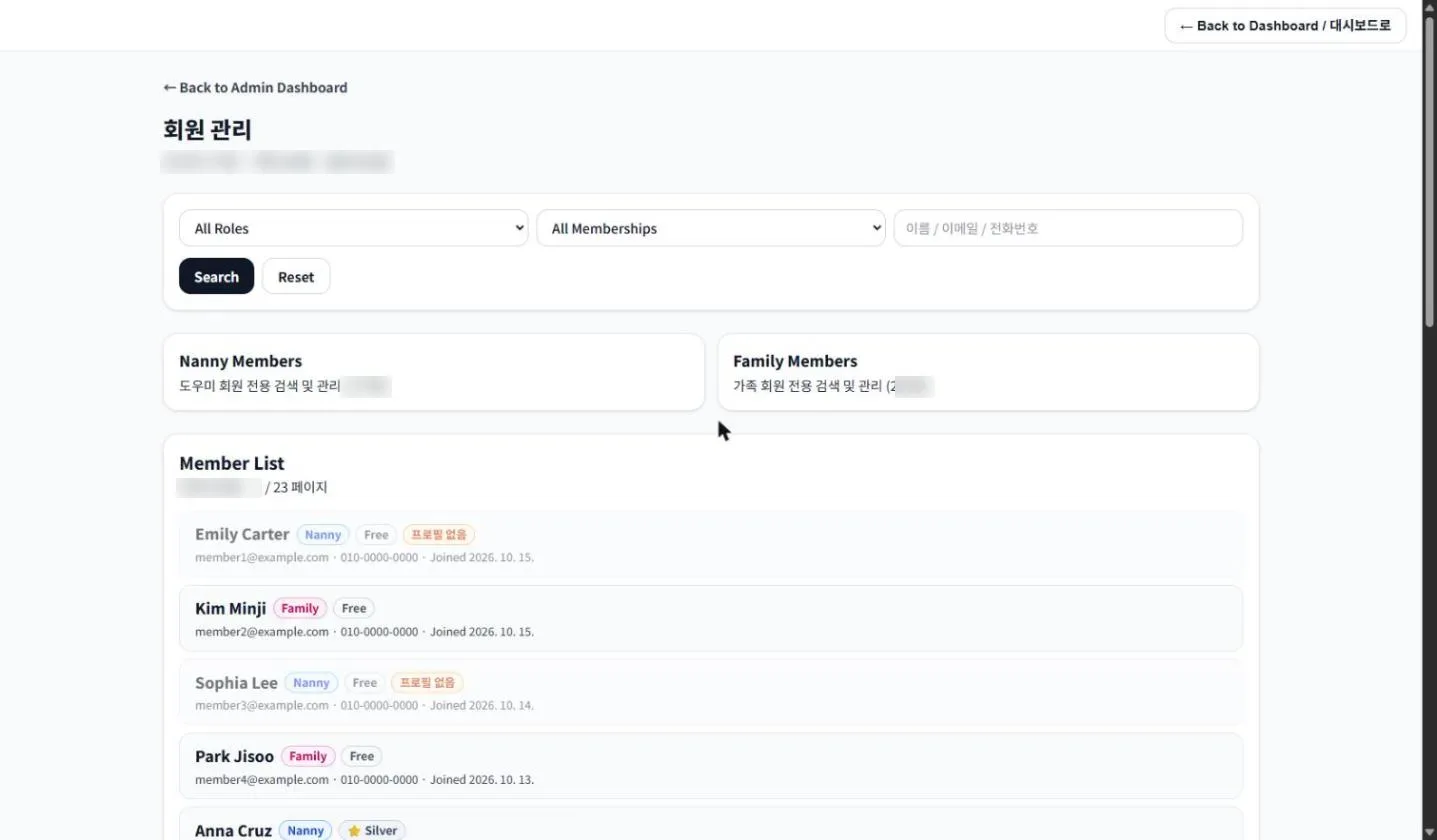
Member list
Members who have not filled in a profile are shown dimmed.
03
Member messaging
Families and nannies talk inside the app. A conversation can start without anyone sharing a phone number, and contact details are shared only when a member chooses to.
- Start talking without exposing a phone number
- All conversation stays in the in-app messenger
- Share a phone number only when ready
- New messages arrive as push notifications
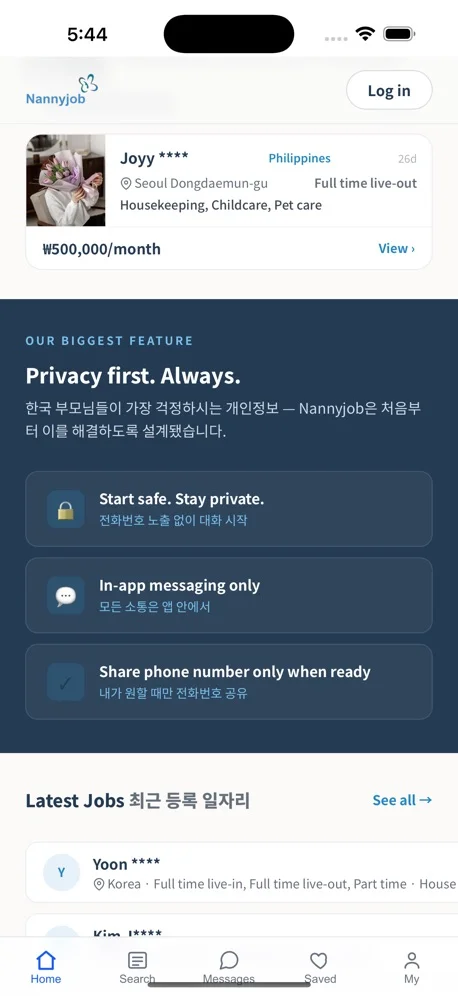
Privacy first
Members talk through in-app messages and share a phone number only when they want to.
04
Team outbox
Every notice the team sends is logged, including whether it has been read.
- Search by recipient, subject or content
- Read / unread filter and date range
- Collapse and expand by date
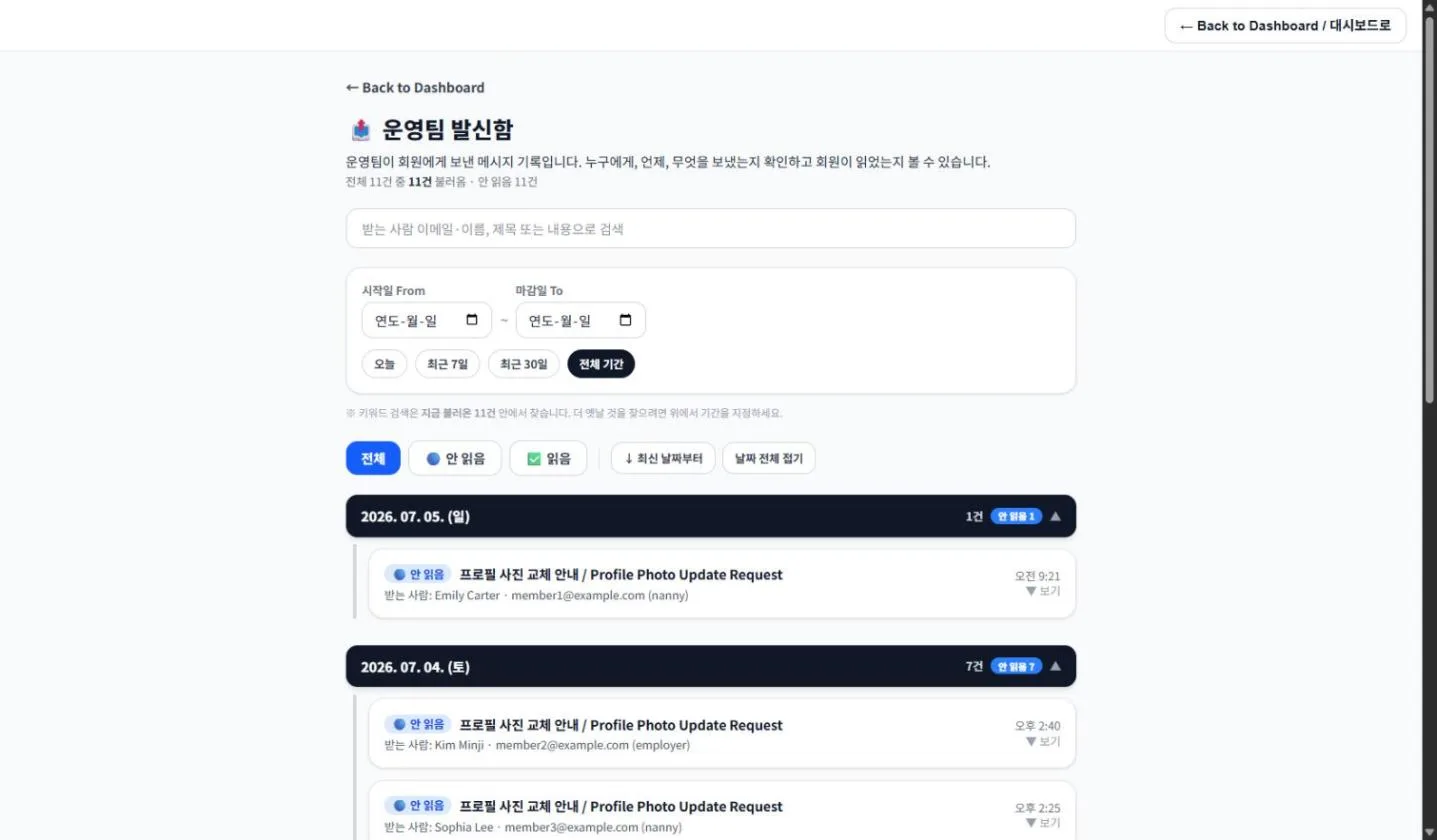
Team outbox
Who was told what, when, and whether they read it.
05
Plan management
Membership plans for nannies and families are managed separately. Changes apply to the pricing and checkout pages at once.
- Price, duration and active flag per plan
- Message-send limits
- Featured-days setting
- Sort order
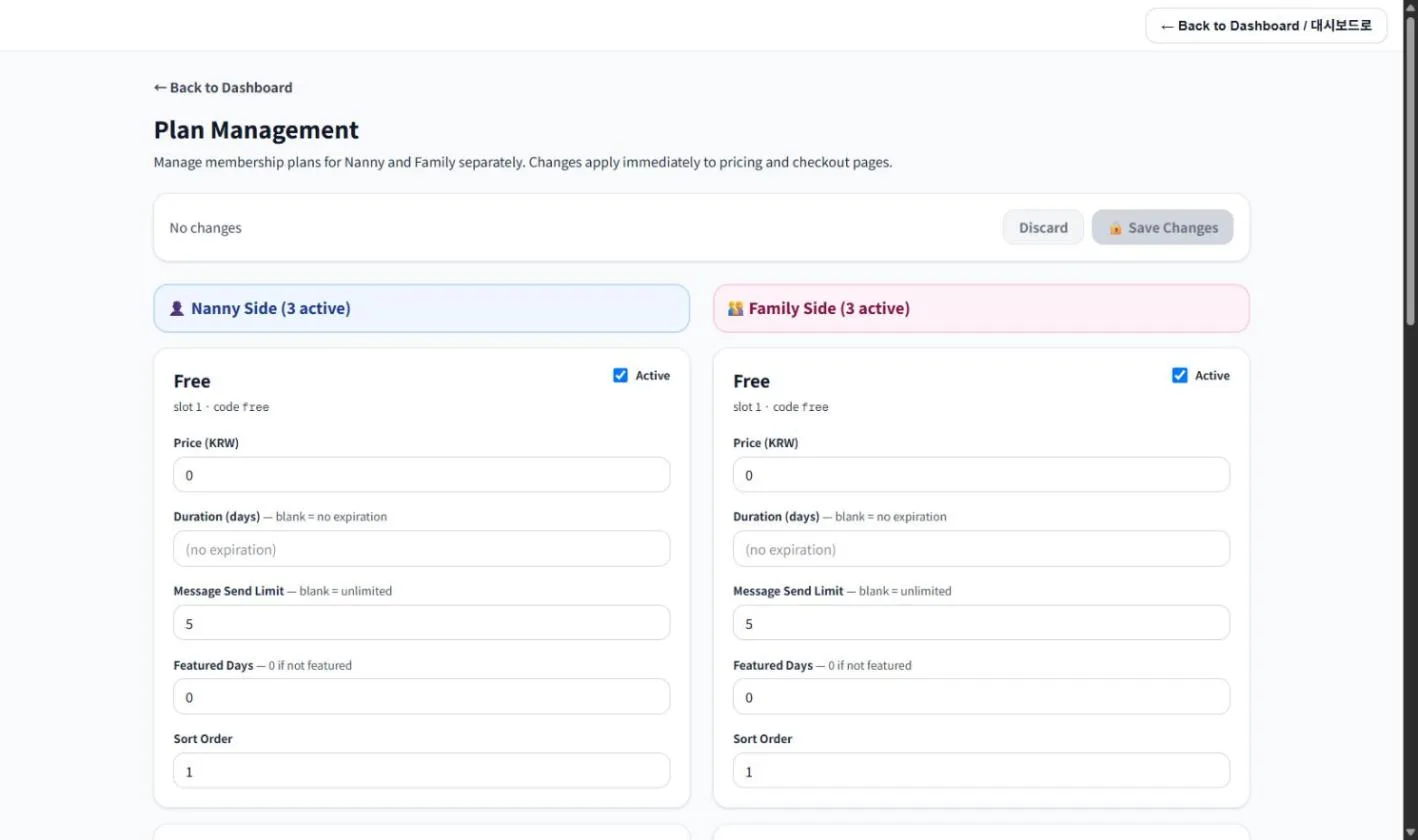
Plan management
Operators change plans themselves — no code change needed.
06
Statistics
Activity, sign-ups and visits on one screen, with a 7 / 30 / 90-day toggle.
- Returning logins, members who sent messages, active ratio
- Nanny / family ratio and membership tier split
- Referral sign-up ratio
- Visits by day and by hour
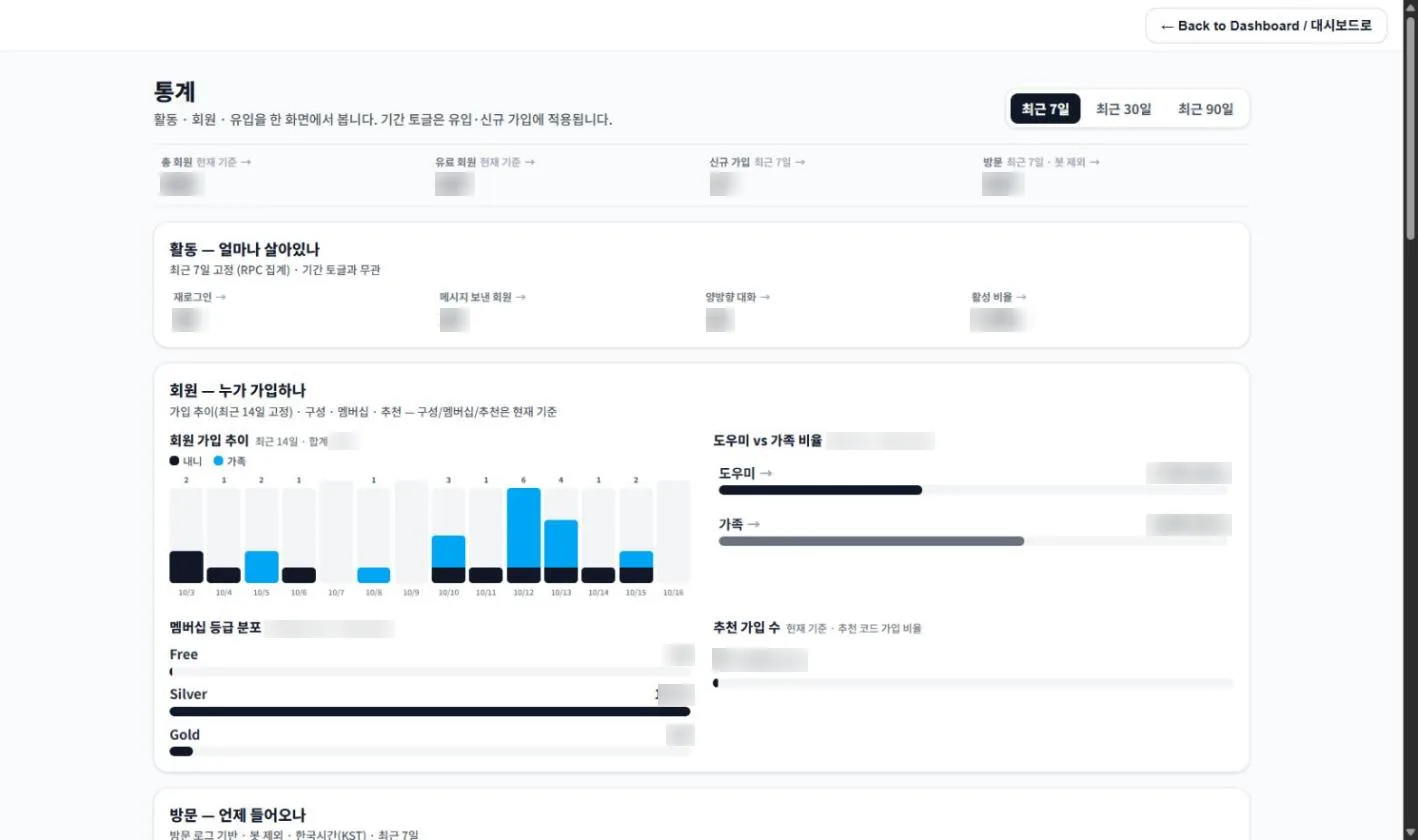
Statistics
Figures are blurred to protect privacy.
Other admin features
Payments
Confirm bank transfers, upgrade memberships and browse the full payment history.
Certificate verification
Review certificates from nannies and families as pending, approved or rejected. ID and passport are shown only where needed.
Want a service with an admin like this?
A team that has run members, payments, messaging and analytics itself designs it from the start. Consultation and quotes are free.
Free consultation